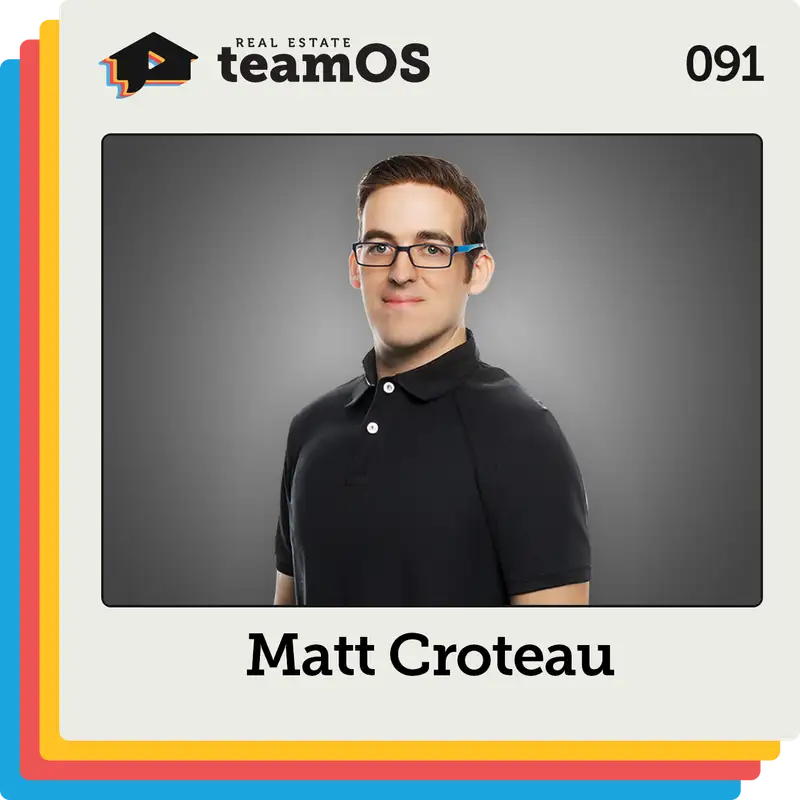
Simple Tech Systems Any Real Estate Team Can Use with Matt Croteau | Ep 091
Speaker 1 (00:00):
If you're looking for ways to leverage technology without losing sight of what matters most relationships, culture, and client goals, then you're in the right place. Tech Forward Pro-human team leader, Matt Creto, shares with you best practices for ai, voice and texting, including when and how to hand off to humans. Three things to set up for success in follow-up boss, A few high value underused features of follow-up boss specific automations that'll help you increase lead engagement and lead conversion. A specific framework for better AI prompts and other prompting tips. Two custom GPTs to save massive amounts of time. Get all that and much more right now with Matt Creto on Real Estate Team
Speaker 2 (00:44):
Os. No matter where your business is today or where you want to take it, you'll get there faster and more profitably with an operating system. Welcome to Team os, your guide to starting, growing and optimizing real estate team. Here's your host, Ethan Butte.
Speaker 1 (01:00):
Matt, I am excited to learn some ways that automations and custom GPTs and AI have been helpful to you and your team. Welcome real estate team os.
Speaker 3 (01:08):
Yeah, I'm super looking forward to teaching you about some of the things I love doing when it comes to ai.
Speaker 1 (01:13):
Awesome. I think it's going to be super practical for folks, but before we get into some of those use cases and some of your passion for tech, I'd love to start high level with what is a must have characteristic of a high performing team?
Speaker 3 (01:24):
Yeah, I think a couple of the biggest characteristics for me is that you really have to have a good culture. You got to have good people around you that are super supportive and just motivating everybody to do better and also as a team lead, you really have to provide support and training to those agents to let them be able to grow.
Speaker 1 (01:40):
What have been a couple of keys to culture for you? I mean it comes up all the time on the show, no surprise, rightfully should, but it's also one of those things that's still a little bit slippery. What exactly are we talking about and how do we do it well?
Speaker 3 (01:52):
Yeah, I think for us the biggest things is making everybody really feel like they're part of a team. It's a little bit harder these days because a lot of agents don't always come to the office. A lot of people work from home and things like that, so we try to do things to keep everyone together. Once a month we'll do a team meeting. Each quarter we'll do a big event and then we do a little fun things like maybe bowling nights or things like that for the team or call nights once a month and just different things like that. So everybody's kind of together and they really feel like they're part of a team. I feel like especially in today's world, it's kind of hard to keep people all connected. Right? Everyone's kind of out doing their own thing.
Speaker 1 (02:22):
Yeah. I have talked with some team leaders that are like, well, if you don't want to be in the office, you're just not part of the team, but they're also ways to make it work without having that as a must have or must do.
Speaker 3 (02:33):
Yeah. For us, we really just require that they come to our monthly meeting that we do once a month and then we also do trainings on Zoom and things like that.
Speaker 1 (02:41):
Cool. When did team occur to you? How did you wind up in the seat that you're in? Go as far back as you want to?
Speaker 3 (02:47):
Yeah, so for me, I started my career back in the mortgage industry right out of college, was a closer processor, became a loan officer, then got into real estate. I was doing that back in New York. I was a single agent there. It was pretty easy there. I knew a lot of people. I would talk to lots of my friends, talk to coworkers, things like that and get deals. Anyway, fast forward a few years later, got kind of burnt out from New York, decided to move out to California and give it a tryout here. I had a friend out here had his real estate license at the time, so moving to a new area, I didn't know anybody, so I had to really just kind of grow my database, grow my business. So that's kind of when it hit me like, hey, I think I need to join a team.
Speaker 3 (03:27):
And I did about 10 deals my first year in a new market, which was really good. Worked with them for a while, ended up kind falling into more the admin marketing ops side of things because they really needed help with that and I'm very techie. I like being geeky and programming my computer and stuff like that. So I started doing more of that and I really enjoyed it and eventually I just kind realized, hey, I want to build my own thing. I don't want to build somebody else's team. I want to build my own. So me and my partner Christian got together. We started a team that's about two years ago now. We have about 40 agents and it's been going really, really well and I'm super excited.
Speaker 1 (04:04):
Two follow ups here, and I'll just say them both, but you don't have to address 'em both at the same time. One, what did you take out of mortgage that was super useful to you in real estate? And then two, I want to learn a little bit more about how you formed your partnership. So mortgage, what was that transition about for you and what was really useful to you? As you got to know more real estate agents, you're like, oh, I have a perspective or some knowledge or some insight that a lot of folks maybe don't have because of my mortgage background.
Speaker 3 (04:33):
For me, I always thought the front side of the industry was a little more exciting than the mortgage side, especially when you're in the closing department trying to chase post-closing documents and things like that. That wasn't really my thing. I'm more about going out meeting with people, talking to people, so that's kind of what made me make the transition. But for me, I think it was a really, really great experience because as an agent you have to be able to see some of the pitfalls that could come up during a transaction when it comes to things that might hinder you, qualifying for a loan, different things, different requirements, regulations, things like that. So I think it's good to have a base of knowledge in that industry because now I can kind of see things that other agents might not see when they're dealing with clients.
Speaker 1 (05:14):
You had your vision to build your own thing. You obviously had some affinity and maybe complimentary strengths and interests with Christian, but as you formed the partnership, what were a couple things that were key to you both to kind of detail and outline so that you could start it the right way and obviously put yourself into a position with having 40 agents excited about the year ahead?
Speaker 3 (05:36):
Yeah, so I think some of the biggest things when you're starting a team is you have to have as much as possible kind of written out, right? Have your SOPs well defined, have your team structure well-defined, because if you don't, it's like you don't want to be building the plane as you're flying it. You want to have some kind of an outline when you're starting. So for us, the two of us are a really good combination together because he's really good on the sales side, on the agent motivation side and that sort of thing. And I'm really good at the marketing side, the tech side, helping agents with converting their leads by using systems. So we're a good balance.
Speaker 1 (06:09):
And is that the just general division of labor kind of day-to-day, week to week, month to month, that's just kind of how you each spend your time and attention?
Speaker 3 (06:16):
Yeah, that's pretty much how we do it. I handle a lot of the backend stuff, the systems, I do the trainings, I do the Zoom meetings, I do agent and then I also do coaching for Y Lobo too. I'm one of the realtor residents there, so I kind of split my time between my team and that as well.
Speaker 1 (06:31):
How does a week shape up for you when you're looking at your calendar, how do you balance, I assume especially since you're doing one-on-ones too, I imagine that there's agent responsibilities that come up all the time. How do you find balance for those two different worlds? I mean, they overlap, but they are different at the same time.
Speaker 3 (06:49):
Yeah, I think the biggest thing is just having a time block on your calendar and just time blocking and strategizing your calendar. So for me, my morning, I'll do training sessions, some coaching calls, up until about noon, probably from let's say maybe noon to three. I'm working on some things with my agents and then the rest of the day I'll be open for any other appointments. So it's all about just really structuring and not letting things fall all over your calendar and making sure it's kind of organized.
Speaker 1 (07:14):
Before we dive into some of the systems and tools behind your collective success and even some of your own personal work, I'd love for you to characterize Fernandez Group as it is today, market size, structure, culture, whatever you want to share. I'd be happy to hear
Speaker 3 (07:29):
We're a team here in Orange County, California. We're brokered by exp, got about 40 agents here on our team. And for us it's really all about just blending the cutting edge, top of the line technology with a personal touch at the same time. So we use a lot of advanced marketing tools like Welo Bow, we use Follow-Up Boss. It's really our main tech stack and that kind helps give our clients an edge. We can let them know what's going on in the market, but the industry is very much human, so people like to add a lot of automations, add a lot of tech to their systems, but the tech isn't going to convert the lead for you. You need to have all these systems, but you still need to have the human side as well. So we have clients, we treat them like family, we make sure that we do whatever we need to do to get them through their goal. It's all about helping them out with what they need. And for agents, it's not just about closing a deal, it's also about how to teach 'em how to build relationships that last with the clients. We help hundreds of families a year and that's what's really important to us, just bringing value, whether it's a client or an agent.
Speaker 1 (08:28):
Yeah, really good. I also appreciate the language of helping consumers toward their goal. I think that's as sad as it is to say out loud, it's so often missed because the agent has her his own goals. The team has some goals and standards and I feel like where we go off the rails, especially as tech encroaches more into some of the activities that were done, people, some rightfully, some not, and they belong, they should be automated. It's easy to lose sight of that other person and what their true goals are. And in that scenario, honoring their timeline, not that they necessarily understand what their timeline could, should would be. They might have an idea in their head and the goal could actually be accelerated by six months and they don't know us. There are lots of ways to go at it, but I appreciate you focusing on consumer goals
Speaker 3 (09:22):
And that happens a lot with clients. They'll register on our system, they'll come in, they'll start talking to the agent and they might say they're a year away, but they're just saying that as a number. They don't really know it, they're unsure, they're uncertain. Maybe they don't know that maybe think they need to have 20% down, but they don't know that they can do it with three and a half or different things like that. So I always find that if we educate the consumer on how things work, we make it more clear to them. A lot of times, like you said, their timeline does accelerate. I've had people where they tell us they're 12 months away in the beginning and they meet with us and make a move in six months. So for me, I think it's super important just to make sure that you get in front of that person as soon as possible, even if they're a year or year and a half out.
Speaker 3 (10:03):
It doesn't hurt to have, I always like to say it's a strategy session, just like you would meet with your financial advisor and strategize on your plans. Same thing with real estate. You want to sit down, meet with your agent, go over everything, explain the process to them, and I think at the end of the day, that also makes the client more comfortable to work with you, especially if you're doing online leads, they're signing up on your website, you're just some random person calling them. They don't really know who you are. So the more you can build that rapport and get in front of them, the more likely not only are they to work with you, but the more likely their timeline will probably move up a little bit too when they get more clarity.
Speaker 1 (10:37):
It really is. I hear a lot of folks, I mean obviously there are a number of points of conversion in moving people forward to a contract and a closing, but I'm increasingly hearing that the conversation is the real point of interest. At some point it was speed to lead, which still matters. There are a lot of little conversion points we can pay attention to, but the conversation is where that is discovered and that's also where the trust is built. That's also where you can start doing some of that advisory. Really, really high level question for you and then we'll dive into the details. You've already kind of touched around it a little bit, but I'd love a direct take on it, which is to you Matt, what is the right role of AI tech and automation and what is the right role of the real estate agent? When you think about these things, definitely we should have tech solutions for, and these are things that the human being needs to do, even if it might be able to be done more efficiently in an automated way, how do you draw that line either practically or just kind of theoretically in your head as you're designing and teaching?
Speaker 3 (11:43):
Yeah, I always look at the tech as, or the AI as kind of the assistant that's helping me in my day to day. I don't look at it as something that's going to take a lead from let's say registration to closing. What it's going to do though, it's going to do things like send out listings, it's going to talk to them, it's going to try to engage 'em through text or through voice. So our team uses Y opa, so we have AI text and AI voice, and that reaches out to the leads in our database. But once somebody responds or once they give some kind of response showing intent, we reach out to that person, we give 'em a call, Hey, it's Matt, how can I help you? And that's kind of where the human element comes in, right? Because the AI is not good enough.
Speaker 3 (12:25):
Any AI is not good enough today where it's going to be able to build that rapport, create the relationship, have a conversation with somebody. If I'm talking to, you're like, oh, I need a place for my dog. Oh great. Now what kind of dog do you have? I have a boxer, a human needs to do that to build the rapport with the client. The way I look at it is the AI kind of helps with getting more engagement. It helps me do my job, but it doesn't take over that human element. It's still my job to build the rapport with a client to help them research things about properties, to help them negotiate an offer. All of those things are still super important.
Speaker 1 (13:00):
Cool. I'm just going to go straight at this one. We did it once in Eptember return, September into September on the show, and we had Kyle Draper and Tiffany Zenni both talking about AI voice and texting. But I'd love to add your experience and perspective to the mix like ai, voice, ai, texting, give a quick go for anyone that didn't check that episode out, what exactly are we talking about? And then the two other zones I'd like to get to with you on this to hear how you're doing it is when or which lead sources or when do you engage people with ai, voice and texting, and then when and how do you hand off to the human? So give us a brief definition and overview. What are we actually talking about and then when do you start deploying this? What types of opportunities do you deploy it on?
Speaker 3 (13:49):
Yeah, ai, text and voice for us, we use it on pretty much all of our lead sources, especially when they're brand new and they first come in, it basically has a program, drift campaign to where it's reaching out to those people, do a text each day. A voice will call about 15 times over 90 days on a new lead, tries to get them to engage with text. When somebody starts to engage, we get an alert. It says, Hey, this person's engaging with your ai and as an agent we'll do as we'll. Jump in and we'll take over the conversation. You can go in and you can type, you can type as the ai. So I could say, oh great, Matt's free at two o'clock today. Can he give you a call? Here's his number. And then as me, I'll go into my system and make a call, Hey, it's Matt, you're texting my assistant.
Speaker 3 (14:31):
She asked me to give you a call. It looks like you mentioned this, this and this. So that's kind of how it works in the text side on voice. Voice is actually calling the leads, identifying intent, asking for a transfer. And of those people who have intent and want to transfer it, actually calls them, calls us, we pick up the phone like, Hey, I have Ethan on the phone. He's looking to speak with an hold on while I'll connect you. And then it's just like, Hey, it's Matt. You're just talking to my assistant waiting from the pass the notes along, but what how'd you looking today? So it's really from the time we pick up the call, it's kind of the same conversation as if I was prospecting. The main difference is I didn't have to make a hundred dials to get that person on the phone.
Speaker 3 (15:10):
The other cool thing, voice does too with YPO that we use, it identifies nurtures in the system. So if they were talking to you and you told the system, Hey, now I'm a year out, don't really want to talk right away, whatever, it'll tag as nurture, it'll put the notes in the call log so I can see that and I can give 'em a call and I can be like, Hey, it's Matt, you're talking to my assistant. Lemme know they're not quite ready yet, but what kind of how you looking? And I even will try to call the nurtures and have a conversation with them. And what I find is that we can actually end up booking a lot of appointments with those nurture leads as well. So kind of goes back to what I was saying before about just having that human element. So the AI is kind of teeing up these opportunities and then we're jumping in and we're taking it across the goal line. One thing we do too is on our team, the agents who are making the most calls, the agents who are doing a lot of the work, those are the ones that we give access to those AI calls. So we use it as kind of like a incentive for the agents to work a little harder in the follow-up on system. The other thing too about I guess when you would put a lead on the ai, if you want me to answer that one, I could that too.
Speaker 1 (16:14):
Yeah, go ahead.
Speaker 3 (16:15):
Yeah, as far as the ai, like I said, we kind of have it on every single lead in our system, but the way I look at it is any client where it's somebody that I don't have a relationship with, I'll let the AI reach out to that person. If it's a lead where I do have a relationship with them, then I'll kind of have the AI turned off and I'll handle the follow-ups and those people. So the great thing about Follow-Up Boss is it has stages. So what I'll basically do is just tell the ai, Hey, if you're in lead stage, if you're in cold, if you're long-term nurture, reach out to those people. But once I put somebody into hot to warm to active client, the AI won't talk to 'em. That's kind of how we handle who talk, who AI talks to and who they don't.
Speaker 1 (16:54):
Really good. You kind of teed up a little bit of where I wanted to go also, I mean you have a team of 40 agents, so the idea of a live call transfer or a live text messaging pickup is good, but speak to that team leader with eight agents or 10 agents. Any tips or best practices for, I assume that the AI is maybe talking to people or texting with people at times when one of those eight people isn't available. How do you handle that?
Speaker 3 (17:22):
Yeah, I think the biggest thing is just making sure you have the smart list set up in your follow-up boss where you can see the activity. So for us, when AI does something they, they'll get tagged with AI needs follow up or AI priority. So we have smart list set up to where when the agents are going in during their call times, they can look at those lists and they can see anything that might've gotten missed. So it's just a matter of making sure you're looking at your smart list and following up on those leads. Yeah, sometimes we miss the call but it gets tagged and then we'll just try to call the person back as soon as we possibly can.
Speaker 1 (17:52):
General reactions from the consumer base at large? I would assume that some of them have no idea that they're talking with ai. Others may be aware and they think it's cool, others may be aware and they're like, I don't love this. What's been the reception in general? I mean obviously this is all anecdotal, but what's been your team's experience with that dynamic in particular?
Speaker 3 (18:15):
Yeah, I find that so far in our conversations in general, most of the clients don't really notice it. I haven't really had many people say anything about it or ask if it was. Sometimes they really reply to what text once in a while and you'll see that and I'll just call 'em and be like, Hey, I'm a real person. Let them know.
Speaker 1 (18:30):
Okay, you've already mentioned a couple of these terms, but I would love for you to set the scene for people who are, because I hear this all the time, by the way, I am going to use Follow-Up Boss. This show is provided at absolutely no cost to people by Follow-Up Boss. So it does come up from time to time, but these concepts can apply to any CRM that anyone is using. So with that little disclaimer out of the way, you've already mentioned Smartlist filter stages, I would love for you, before we dive into maybe some automations that have been super effective for you and your team, I'd love for you to just share any philosophy that you have when you're maybe talking with someone that's like, yeah, I'm new to follow-up Boss, and I'm not quite sure where to start or how to set it up just from a high level perspective, share a little bit of the basics in terms of the terminology and some definite must-dos in terms of setting up for success.
Speaker 3 (19:26):
Yeah, I think one of the biggest things is just take advantage of all that training when you're first getting started, that Follow-Up Boss provides, they have a Follow-Up Boss Success community on Facebook. That's a really great place to go in and ask questions and talk to tie level teams and single agents, medium-sized teams, small teams are using the system. But I think the biggest thing for me, I would say if you're brand new to Follow Pause and don't really know where to go is number one, make sure your stages are dialed in. You want to have a well-defined set of stages because that's the foundation for your smart list, which basically is a bunch of saved filters in the system. So number one, I would say make sure you have a solid understanding of what your stages do. What does lead stage mean? What does attempted contact mean?
Speaker 3 (20:05):
What does appointment set mean? What does Hot mean, warm, cold, habit? An understanding what all that means. Second thing I would say is make sure you have your smart list dial in, so you have a set of lists that you're calling every single day, new leads, active leads, hot leads, like for our team, hots get hit, weekly warms every two weeks. Colds get hit once a month, so make sure you have those lists set up. You're getting them to zero every day. And then the other thing I would say is in your lead profile, in your follow loss, make sure you have things like activity on the top. So you could see when they were last on the website, what they did. I also love using the background section. I think it's one of the more underutilized features in Follow Pass, but there's a little section called Background on the left side and you can type in whatever you want there.
Speaker 3 (20:51):
So I use that as I call it the CliffNotes edition of what we talked about. So I can put your timeline, what your motivation is, any other important details, maybe tell me had a dog or you had a kid or you have an anniversary or something like that, right? Then when I go to call you back, I can just look at background, I can look at activity and I can hit dial. I don't have to scroll down and figure out the notes. So Stages, Smartlist and then Lead Profile set up would be the three I would say to make sure you have dialed in before you get started. There's a lot of tools, there's a lot of pieces of the system that's super complex, so don't get too overwhelmed with it. Try to build that solid foundation first and then layer up from there
Speaker 1 (21:30):
Really good. The clear definitions of stages so that everyone who's engaging in knows exactly what they mean is just a really, really good practical tip. Any tips on filters or tags or you just want to dive into some of the automations that you've set up?
Speaker 3 (21:46):
We can dive into some automations. Tags are very team dependent. What I recommend, what I do on my team is I have a Google doc with all my stages and then some of the main tags that we use and it's all on there. And I share with all my agents. So we have a tag of, it's a bad phone number, we have a tag for that buyer, seller, past client. We have different tags for different things. And then the systems we use like gu LOPA for example, they're also pushing tags into our system, which ties in with our automation. So if somebody views a home three times, they get a certain tag for that. If somebody does something on the website, they get a priority tag. So it's a matter of knowing what systems you're using with Follow Boss as well and knowing what tags being pushed in. I know Zillow pushes down a bunch of different tags of the system, like Real Scout fellow, any of those other systems that people integrate with, their F has their own set of tags.
Speaker 1 (22:37):
What are a couple of automations that have either saved you and your team a ton of time or have provided just a massive amount of value?
Speaker 3 (22:45):
Yeah, there's a couple that I really like. One of them is if you're calling on, somebody has a bad phone number with our system, if it gets tagged with bad phone and that person tries to come back to the website, it'll actually pop a box up and say, Hey, can you put a phone number in before you can look at more properties? So I have an automation stuff in my system. It's based off of a stage. The stage is bad phone number. So when an agent puts somebody in bad phone number, the automation will automatically apply the tag. It will also put them on an action plan which says, Hey, I tried to reach you out this number. Is there a better number? So essentially with one click, it's doing four different things. It is changing the stage, it's sending out the emails, it's putting on the tag.
Speaker 3 (23:29):
So anything you do that has more than two steps and you do it multiple times, I recommend trying to find out a way to automate it. Automations, they seem overwhelming if you're somebody new to the system, but really not once you dive into it, it's super simple. It's just a trigger you have to trigger. You set up what conditions that trigger will fire based off of and then you set up an action. So that's one that we really like to use. Another one is, like I was saying, our system, when somebody views a home three times we get a trigger. So for example, it's like why Home Three View? That's telling us the person view a property three times. And what I like doing with that one is if somebody triggers that tag and they're in one of my ponds for example, and we haven't talked them in a little while, and it'll fire off an email like, Hey, you still looking in the area, trying to see how their search is coming along.
Speaker 3 (24:25):
But what we do is we add a merge field into that email, and I think this is probably one of the more underutilized merge fields and follow-up offs as well. Funny, I always talk in different trainings and things like that, and there's a lot of features assistant that I use every day. I've been using it for years. I assume everyone knows it. And then I'll be in a room with all these high level team leads and things that are doing things at a way higher level than me, and I'll talk about a little feature like this and everyone's like, oh my God, that's so cool. So it's always funny about all these little features and follow up boss, but one of them is called the last five preview, and that's a merge field in your email. And if you put that into an email, what it does is it takes the last five they looked at and it puts the photo, the link, the clickable description and routes 'em back to your website. So I always teach people in trainings that whenever you're sending an email, you always want to have some kind of a thing that brings them back to your site. So I like using that last five preview like, Hey, Silicon in the area, we found a few homes that might work for you. Here you go.
Speaker 1 (25:27):
I assume that's a pretty well engaged email.
Speaker 3 (25:30):
Oh yeah, that gets a lot of clicks. Gets a lot of opens, and the cool thing is with our system when they clicked, we know they clicked, right? So I know that, hey, you came back on my website after I sent the email, even with the bad phone number one I was talking about if you send 'em that email and they click it, it's going to ask 'em for their phone number when they open it again. So we get a lot of engagement that way. I got a couple of emails a day where it's somebody that put a new phone number in. A couple other cool things that we do for automations as well is stage changes. A stage change could be an automation trigger. So for example, you move somebody to closed, maybe you could put them on a post closing action plan for the next 12 months. One of the ones I'm looking into that I'm super excited to dive into more is with automation's 2.0. I know some people are around beta already, but with automation's 2.0, there's an appointment trigger now. So let's say I set up a listing appointment, I can set up an automation for after the appointment, send the follow up or different things like that. So I'm kind of toying around with a few automations when it comes to appointments. So I'll definitely share those once I have those all dialed in.
Speaker 1 (26:30):
For folks watching and listening, Matt already mentioned the follow-Up Boss success community on Facebook. If you're a follow-up boss customer, you can join that. There are over 30,000 people in it and I assume Matt, that's a place where you might share what you learn about that automation. Specific question for you on behalf of a team leader or an operations leader who is dialed into this stuff like you are, how much do agents, I mean you already mentioned obviously everyone needs to understand the definition of a stage. They need to know what that stage means. But with regard to some of these automations, I mean obviously the bad phone number, once a phone number has been proven effective, I'm sure the tag goes away and they start moving through the system based on a different tag or a different stage or whatever they've actioned their way into next so that it's appropriate. How much exposure do you give the dozens of agents on your team to what exactly is happening behind the scenes? You don't want to overwhelm them, you kind of need or want them to understand what's happening and why, but they don't need to necessarily know all the details. How do you manage that balance?
Speaker 3 (27:40):
Yeah, so with the bad phone, number one, for example, my philosophy when I think about things is I need to make it basically one click for the agent or it's going to be less likely that they're going to do it. So for the bad, number one, the way I teach 'em just, hey, if it leads a bad number, just put it into that bad phone number stage and the system will take care of the rest for you. Right now, if somebody happens to put a new number in, they get tagged with new number and then we have a smart list for that where the people will show up. So I kind just let them know, Hey, if you do this, this is what it's going to do for you. But I don't get into too much of the technical details. Same thing with my smart list. So my smart list, I'll follow the same basic outline of what they mean, but I'm in there sometimes changing filters around, but I'm not going to tell the agent, Hey, I'm changing this filter today.
Speaker 3 (28:27):
The essence of the list is still there. So I'm doing a lot behind the scenes that the agents might not really need to know about. It's just more about letting 'em know the basics so that they can do their job each day. Even the Y home, the three preview or the three home view one that I was just talking about that's running in the background, I let them know it's happening, but that's not something they have to do day to day. So the way I look at these things, it's a lot of stuff that just kind of helps enhance the agents day to day without them having to think too much or having to worry about it too much, right? Because busy enough, running out to appointments and negotiating deals and things like that, I don't want to have them to have them worry about too much of the technical stuff in the system, if that makes sense.
Speaker 1 (29:05):
Yeah, absolutely it does. I would love to shift to your choice or agentic ai. When did either or both of these come onto your radar? What are some of maybe the best use cases you've discovered for yourself in your role and any tips you would like to share with folks? So you can go one or the other or both?
Speaker 3 (29:26):
Yeah, so I've used the chat GBTA lot. Also perplexity, I've been using more. They have a new browser that came out recently that's been super helpful. I can talk about something I do with that here in a second. But those are the two I use most of my day-to-day. And I look at them like was saying earlier as kind of my assistant and what I find that a lot of people when they use things like JGPT, they kind of use it as more of a search engine where they just ask for the question and that's it. But if you give it a well-defined role of what you need it to do, it works a lot better. So there's something I've used a lot in my day to day-today and it saves me a ton of time. I can share a few examples if you like about what I'm doing with it.
Speaker 1 (30:04):
Yeah, please.
Speaker 3 (30:05):
So one of them is, before I do that, let me just talk about prompting it. So when you're using chat, for example, instead of just saying, asking you the random question, give it explicit instructions and tell it what you want it to do. So for me, I kind of use a framework, it's called Relic. I'm sure that's something that people have heard about before if you're into AI at all. But it's basically the R stands for role, right? You're telling it the role like, Hey, you are my copywriter. The E is for explicit instructions. So telling it exactly what you want, the L is going to be the length I is inspiration, how do you want it to talk, what the tone is. And then C is for context. So you want to give it a little background about what you want it to do, what the job you want to do is.
Speaker 3 (30:53):
So think about it as if you have a little virtual assistant and you want to give them specific instructions about what to do. The more detailed you are in your instructions, the better the output's going to be from the system. A couple other things I've found that have been really, really helpful to is just asking it questions. So let's say you do your whole prompt at the end of it, say something like, ask me questions until you're 95% confident you can complete the task and you'd be surprised. It'll go through and do its whole thinking thing. It'll come back and ask you a few questions, you answer them, and then it will give you a much more concise response. A couple other things I do too is if you're doing listing descriptions or how can I respond to this email or this text message, tell it to give me two or three versions with different tones.
Speaker 3 (31:43):
Or another one I like too is telling it reflect on your answer. Sometimes it'll go back and figure out that it made a mistake on something. So one of the ways I like to use it is for scripting help, right? Agents a lot of times are asking me, how did I respond to this scenario? What do I do when the lead said this, right? So you could go into chat GPT, you could type in the scenario, ask it to come up with a response. There's also a thing where you can make custom gpt though, right? So I made one for lead conversion scripting on my team, and basically what I did was I uploaded the Google docs for all of our scripts, put 'em into the GPT. So when you ask the GPTA question, it will read all the scripts and come up with their response.
Speaker 3 (32:26):
So somebody can go on that and they can say, oh, the leads said they don't have enough for a down payment. What do I do? Hit enter. GPT goes through things and it not only will come up with a response, it'll give you a little educational nugget. You could tell the client, it'll give you a call to action, try to book an appointment. It'll even give you a seven day follow-up process after that. So that's something you can do with it. That's really, really cool and it's really beneficial. Even my ISAs use when they're on the phone with the leave, they can type in a question or an objection and it'll spit back a response for them. So it's been super helpful for them.
Speaker 1 (32:58):
Really good. Really quickly before you share any more, explain to someone who has not built a custom GPT. I mean, essentially what you're doing is creating a sub version where it's only looking at particular material, but for someone who hasn't done it before, make this approachable because it is very approachable. Anyone can do this.
Speaker 3 (33:20):
Yeah, you just go into your chat, GPT, and there's a little GPT section in that little menu bar on the left side, and you can just click gaga, I believe it says, create GPT, and it essentially brings you a screen with instructions, which is the prompt for it. So you put your prompt in there like, Hey, you're a lead conversion coach. You're going to analyze these scripts and you're going to give me this, this, and this. And then there's an upload button. So you can do upload and you can upload the documents that you want it to analyze, and then you just hit submit. It gives you a little link to it puts on your sidebar on chat GPT, and then whenever you ask questions, it'll use that source of information that you gave it to answer the question. So yeah, it's super easy and I'd be happy to do a little screen share or something you could put into a link for everybody as well, if that'd be helpful.
Speaker 1 (34:08):
Sure, I would absolutely include that link. Any other use cases that you found really helpful? I love that one because you're just sharing the link with your agents and as you said, or an ISA and they can use it on the fly as they need or want to. Any other custom GPTs or AI use cases that have been super useful to you?
Speaker 3 (34:26):
Yeah. Another one for me is that you can actually schedule GBT to do something. You can say, Hey, every Monday I want you to do this. So one thing I do is we do a little deal of the week email that goes out to people in our database. Now, my market varies a little bit, so I usually don't pick one deal. I put four or five on there. I like to pick a how maybe a property from each segment. I'll do like a pool house, maybe a golf course home, a higher end single family standard, then like a condo right? This way, no matter who you are, there's something for you in there and it'll be an email that goes out. It'll include the city, the bed and bath, count the price, a little description for each one, and then there's a callback to them where it says, click here to learn more.
Speaker 3 (35:11):
I can do chat pt. I can basically tell it search Zillow for Orange County, California. Every Monday I want you to pick five standout listings that fit these criteria. So I could do pool homes under 1.5, higher end homes above 1.5, right? Different criteria like that. And I tell it for each city, give me the beds, the baths, the description, give me an email with a call to action, and literally every week 8:00 AM a Monday, my chat GPT pops up and it says, Hey, here's your properties for this week. So that one is super cool. That's something that used to take me a really long time to do, and now I just basically have this prompt that does it for me. Another one that's been really cool too is perplexity has their own browser. It's called Comet, and you can click their little assistant, and when you have your browser open, it'll click around your browser and do things.
Speaker 3 (36:04):
So one thing I've done with it before is pull comps for a property in my MLS. So you pull the prompts, you pull up that list view of all the comps, and I can literally go into perplexity, click the assistant and say, yeah, hey, can you click through each one of these? Let me know what the averages on market is, what the list of sold ratio is, who the listing agents were. If there's a listing agent that's more dominant in that market, let me know who they are, give me a little report with it, hit the button and it'll literally take over my browser. It'll do all the clicks for me through the MLS and give me all that information. So that's another really, really cool thing you can do. And again, to your point earlier, you don't have to be an expert at this stuff, right? With that, you just download the browser, click the assistant button, tell it what you want, and it does a really good job at taking over and doing it.
Speaker 1 (36:54):
Yeah. Remind me again, just for the audience's sake, the criteria that you shared much earlier, which was like anything that has more than two steps that you're doing a couple of times a week, you should build something around.
Speaker 3 (37:10):
Exactly. Yeah. Anything you're doing that has multiple steps and you're doing it more than a couple times, build a process around it, right? Because even something simple like the bad phone number one I was talking about before, I tag it with bad number, I put 'em on an email action plan, probably takes 10 or 15 seconds, but if you're doing it multiple times a day, that adds up, right?
Speaker 1 (37:28):
Yeah, absolutely it does. So you spent a lot of time around, essentially, this is going to be maybe too broad, but lead gen, lead distribution, lead conversion. What are a couple of things that as long as you've been in the industry and even industry adjacent haven't changed and you don't expect will change? And maybe what are a couple of things that have changed or you anticipate to change in the year ahead? What are some fundamentals around lead conversion? What are maybe things that are shifting a little bit from your perspective?
Speaker 3 (38:04):
Yeah, I think the biggest thing is no matter how things are shifting, you still have to put the work in, make the dials, make the calls, have a high speed to response when people are reaching out. I've seen studies where people have done secret shopping on realtor's websites and they register. They put the information, and you're lucky if 60% of the agents actually respond to that person's inquiry on the website. So I think that's just basic customer service, right? A certain point where you have to make sure that you're reaching out to leads, making sure you're following up. Because just rewinding back to what I said earlier, I feel like a lot of people think the AI is going to just take over and do everything for you. It's really not it's going to assist you, but it's not going to do your entire job for you.
Speaker 3 (38:45):
What I do think is shifting a little bit, and I've seen it just in the last few months, but I think over time it's going to shift a lot more is people's communication preferences. I feel like a lot of people are more responsive to text messages. However, I'm not to say I'm not calling people because I'm still calling. I might get a lower pickup rate when I call people, but if I get you on the phone, my likelihood of turning you into appointments a lot higher than just texting. But we definitely have been using texting more to get to a phone call or texting a link with a list of properties to somebody or different things like that to get them to engage. So I think communication preference, if people are changing a lot, the new iOS update just came in a couple months back and there's a thing now where you can turn on call screening. So when somebody calls you, it says, say your name and they might answer the phone. I know for me, if I don't know the number, I always just click it before I'll answer the phone. I got so many calls. So I think that's one of the big changes that we're seeing is just the way that we communicate with people.
Speaker 1 (39:45):
What is something in your seat that a year from now when we connect somewhere somehow maybe in person you hope to have either accomplished or built or delegated or hired? When you're thinking about 2026, what are a couple of high level things that you're really excited about or really focused on at the moment?
Speaker 3 (40:08):
Yeah, I'm excited just in general where things are going in real estate over the next year. I think the interest rates are coming down a bit, so hopefully we're going to have a lot more opportunities with buyers out there. As far as team wise, for me, I think it's really just hiring more support staff on my team to help delegate some of the things that I'm doing day to day to make me more efficient. Because on our team, it's really is me, my partner, and then we have some VAs, so we don't really have a bunch of staff on our team. One of the things that we added this year actually to our team, which was super helpful, was a tc. So we have our own in-office TC that works with all of our agents, and that's been able to help us track our numbers a lot more than we were able to a year before. So for me, I think my goal for the next year is really just streamlining things a bit more, like delegating more, taking a little bit more off my plate so I can focus on scaling the team even more, maybe expanding to other markets.
Speaker 1 (41:00):
When do you think about VA versus in town, in person in office? Because what I think I heard you say is I'm going to maybe add a position or two in person in office that I can engage with more directly. How do you think about that divide?
Speaker 3 (41:19):
For something like a tc, you probably need more of an in-office person, somebody where the agents come in and they can ask questions to, he gets to know them well and kind of works in their transactions. Now he has a team of VAs that kind of work with him and they do a lot of the more busy work, the paperwork and things like that. But at the end of the day, a VA is not going to really know how to handle certain scenarios, I think as much as an actual in-office person could. And then for other positions maybe in office, I think it's where you're looking for more maybe like a sales manager for your team or different things like that. That kind of needs to be an in-office position. I think most other things you can pretty much get by with the VA though, when it comes to marketing and things like that, as long as you have everything written out, as long as you have the processes written out, the instructions written out, and you set the expectations with that va, I think a lot of those positions can be a VA position.
Speaker 1 (42:11):
Yeah, I don't want to dehumanize anyone, but your relic or the Relic framework works in general for thinking about specific things that you want another person to do, not just another artificial intelligence. This has been awesome, Matt. I appreciate all your tips. I wish you continued success obviously in the year ahead. Before I let you go, I would love to know a few different things. The first is, what is your very favorite team to root for besides your own real estate team, or what is the best team you've ever been a member of besides your own real estate team?
Speaker 3 (42:45):
I'm a big Yankee fan. That's my team. They disappointment this year, but that's my team.
Speaker 1 (42:49):
Yeah. Good. What is one of your most frivolous purchases or what's a cheapskate habit you hold onto even though you probably don't need to?
Speaker 3 (42:58):
For me, it's always tech things. I don't spend a ton on myself or buy a ton of frivolous things, but when it's tech, I always am buying the first thing that comes out. So for me, it was probably the meta classes or I bought a Rivian day one. When it came out, it was all techy. So for me it would probably be tech stuff.
Speaker 1 (43:14):
Yeah. Have you seen the $20,000 neo humanoid robot that's remotely operated by a human being?
Speaker 3 (43:21):
That is pretty crazy. It's a little scary though.
Speaker 1 (43:23):
Yeah, I've not into it at all. I just can't see. I don't know. There's something about pride and ownership for me that I don't have problem fluffing my own pillows or picking the sweatshirt up off the couch and folding it and putting it in a drawer. I am not seeing
Speaker 3 (43:43):
It. I also saw iBot, so I dunno if I want robots throughout my house. Right. There was one that was on Shark Tank. I think all it does is fold your sheets or something like that, or fold your clothes and yeah, it was like a $15,000 robot. It might be the same one.
Speaker 1 (43:54):
Yeah, that's great. I mean, the return on that investment, I just don't see it. Last one, how do you invest your time in resting, relaxing, and recharging? What are you doing? What does that look like or what are you doing? What does it look like when you're investing time in learning, growing and developing?
Speaker 3 (44:13):
For me, it's always for relaxing and recharging. It's really just going with the nature. I love just taking weekends off and just totally turning my phone off, disconnecting for the weekend. I mean, sure it's hell on Monday when I come back and I have all these notifications I have to respond to, but it's so nice to turn off and just disappear into Sequoia National Park, Yosemite for a weekend or something like that. I went to Sequoia a few months back. It was so nice. We went up to Kings Canyon, which is just north of Sequoia, and so Sequoia Park is more like tourist attraction. You go to the general Sherman tree and it's like you're in Disneyland, everyone's taking pictures of it, but you go up to Kings Canyon and there's nobody up there. It's super peaceful, super quiet. The night sky's amazing. So for me, I think nature is kind of the best therapy slash recharge.
Speaker 1 (44:57):
Beautiful. When did you discover or have you always had the discipline to go? I think if anyone that watches or listens to a show this, they're relatively accomplished. If not, they're working and thinking and operating toward being very accomplished. They're on their way. So 24 hours or 48 hours or 72 hours unplugged seems like a luxury. Is that something that you've always been sensitive to or is that something that you discovered or did you reach a breaking point at some time and you're like, alright, I got to fix this and it's going to be like a deep unplug?
Speaker 3 (45:37):
Yeah, it's just nice. I've always liked just going out on my own and just doing things and just getting away for a little bit. So for me, nature was always my connection to that. Just going out camping, hearing the sounds of nature, looking at the night sky, nobody's bothering you. For me, if I'm leaving on a Friday and coming back on Monday, not much is going to happen over the weekend. That's going to be a big deal Monday. I know people think of that. People think about that sometimes. I have H all the time where they're freaking out about a deal at 5:00 PM on a Friday when the escrow company is not going to be able to Monday anyway. Or the bank deal is not going to be able to Monday anyway, so it can wait sometimes. So for me, I think people just kind of overthink that part of things a little bit too much, and it's really easy to fall into that trap too, of having no work-life balance for me. When I first moved here, I was kind trying to build my business in that new area and I was probably working 12 hours a day and seven days a week, and I had no life aside from that. I think you do need to disconnect and be able to recharge in order to be more successful, and then sometimes you blink and a year's gone by, right? So time goes by super fast, so you have to slow down, enjoy things. For me, that's what keeps me motivated.
Speaker 1 (46:47):
Yeah. With you a hundred percent on that, and also with you on spending time outside massively undervalued by culture at large, and you, I'm also looking for the King's Canyon equivalent. When everyone else is at Sequoia, I'll visit Sequoia, but where I'm going to spend a lot of my time is going to be kind of the secondary thing. It's funny, it's not hard, especially in the national parks, it's not hard to shake the crowd. All you got to do is go two miles up a trail wherever else. It's everyone
Speaker 3 (47:16):
On those hills. Nobody wants to walk.
Speaker 1 (47:18):
Yeah.
Speaker 3 (47:19):
The worst is when you see it on Instagram and it's like nobody's there
Speaker 1 (47:23):
And
Speaker 3 (47:23):
You go there and there's like a million people.
Speaker 1 (47:25):
Yeah, yeah. And it lines up and stops here, so everyone,
Speaker 3 (47:30):
I like the National Forest a lot more in the national parks too, like the National Forest versus National Parks. A lot less people go to those, so that's another little
Speaker 1 (47:39):
Trick. Yeah. Where I am on the front range of the Rockies in Colorado, 13 ERs. Instead of looking at summiting Fourteeners, like 13,000 foot peaks, 13,986. That's almost a 14,000 foot peak, but there's no one on it because it's not 14,001. It's really funny how that works. Anyway, this has been awesome. I appreciate you, Matt. I hope you have an awesome year ahead. For anyone who's gotten to this point in the conversation, they might want to connect with you, learn more about what you're doing, or even maybe ask you some follow up questions. If someone wants to follow up, where should they go?
Speaker 3 (48:12):
Yeah. Best way to shoot me an email, just matt@mattsellsoc.com. That'd be the best way to connect with me.
Speaker 1 (48:19):
That email address is down below matt@mattsellsoc.com.
Speaker 3 (48:25):
Yep, exactly.
Speaker 1 (48:26):
Very good. Appreciate you so much. Hope you have a great rest of your
Speaker 2 (48:28):
Day.
Speaker 3 (48:29):
All right, you too. Thanks. This was great.
Speaker 2 (48:31):
Thanks for checking out this episode of Team Os. For email exclusive insights every week, sign up@realestateteamos.com.